

Website screenshots, captured on a schedule
Full-page screenshots and PDFs of any public web page — hourly, daily, or on your own trigger window — delivered to Google Drive, Dropbox or any S3-compatible bucket. Scroll videos come with the Business and Business Plus plans.
No card and no account for the free tool. Create an account to schedule captures.
- Mon
- Tue
- Wed
- Thu
- Fri
- Sat
- Sun
- Next · Fri 09:00
- ScheduleDaily · 09:00
- Trigger windowMon–Fri · 08–18h
- REST APITrigger now
- MCP serverAI assistant
- PDF2.8 MB
- PNG1.2 MB
- HTML96 KB
- MP46.4 MB
- Account storage41 captures
 Google Drive41 files
 Dropbox41 files
 S3-compatible41 files
- Webhook41 events
History · 41 captures of silhouettec.comkept until you delete them, or not kept after delivery
Thu 09:00, started by Schedule: capturing silhouettec.com as PNG with HTML
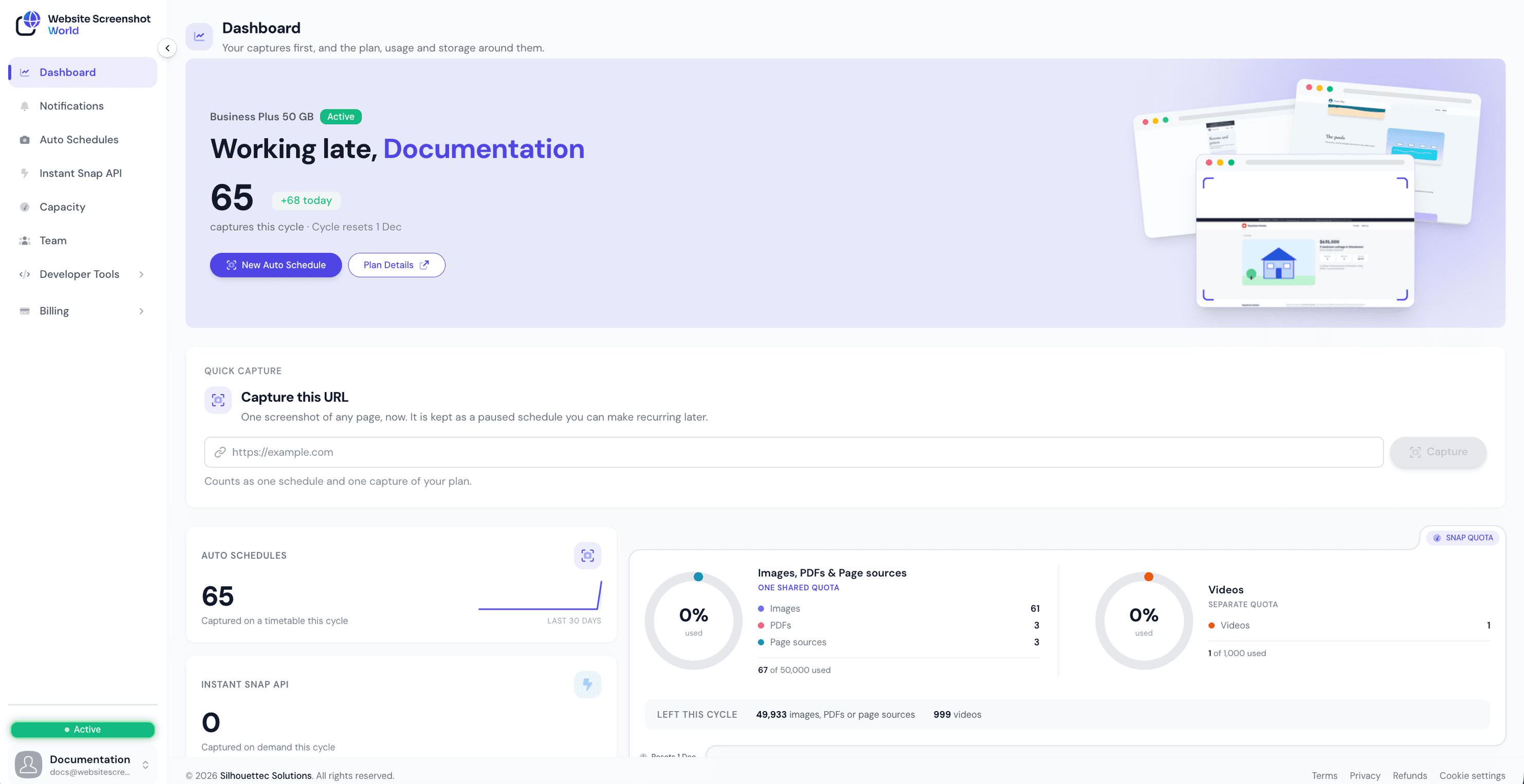
Inside the console
What you actually work in
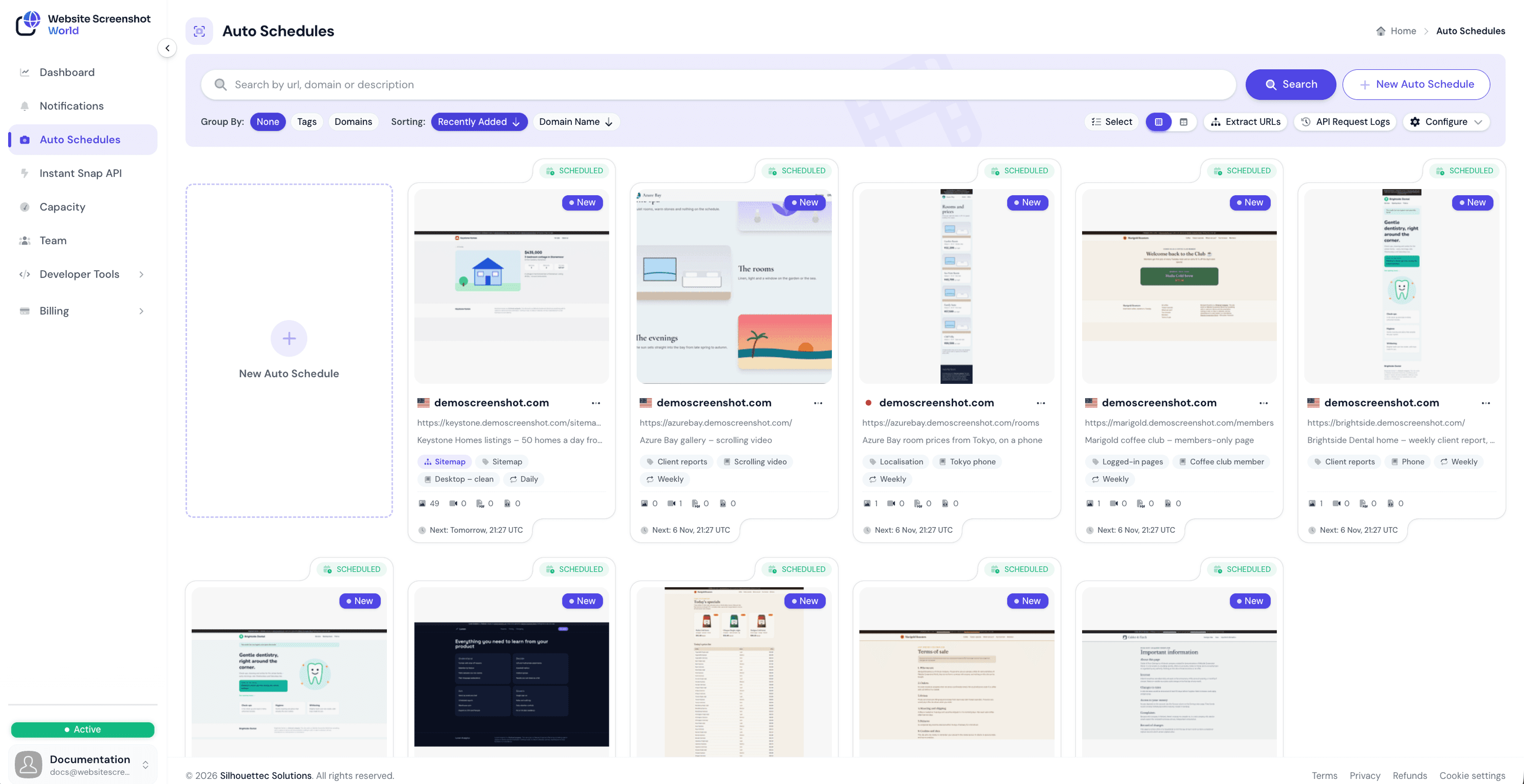
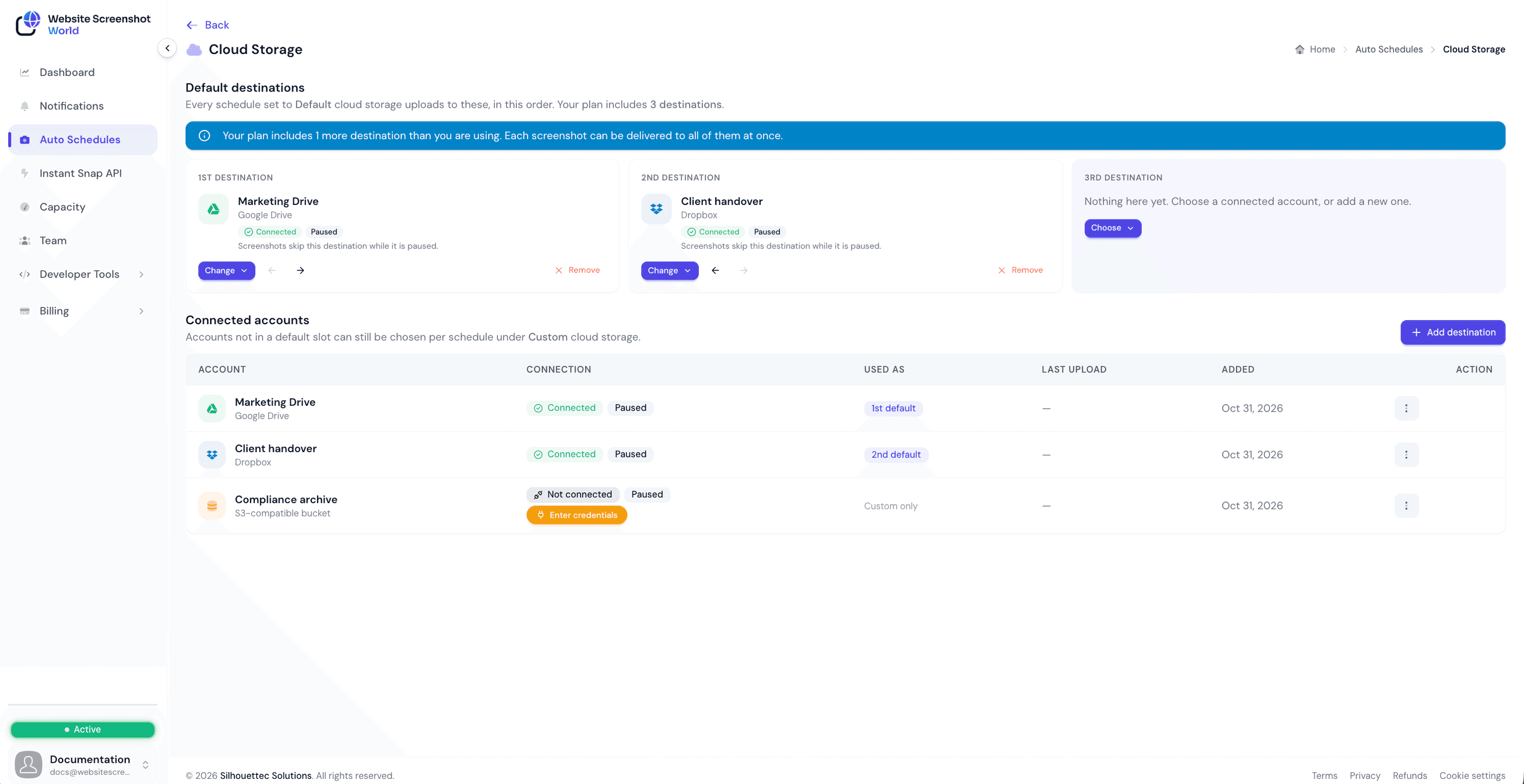
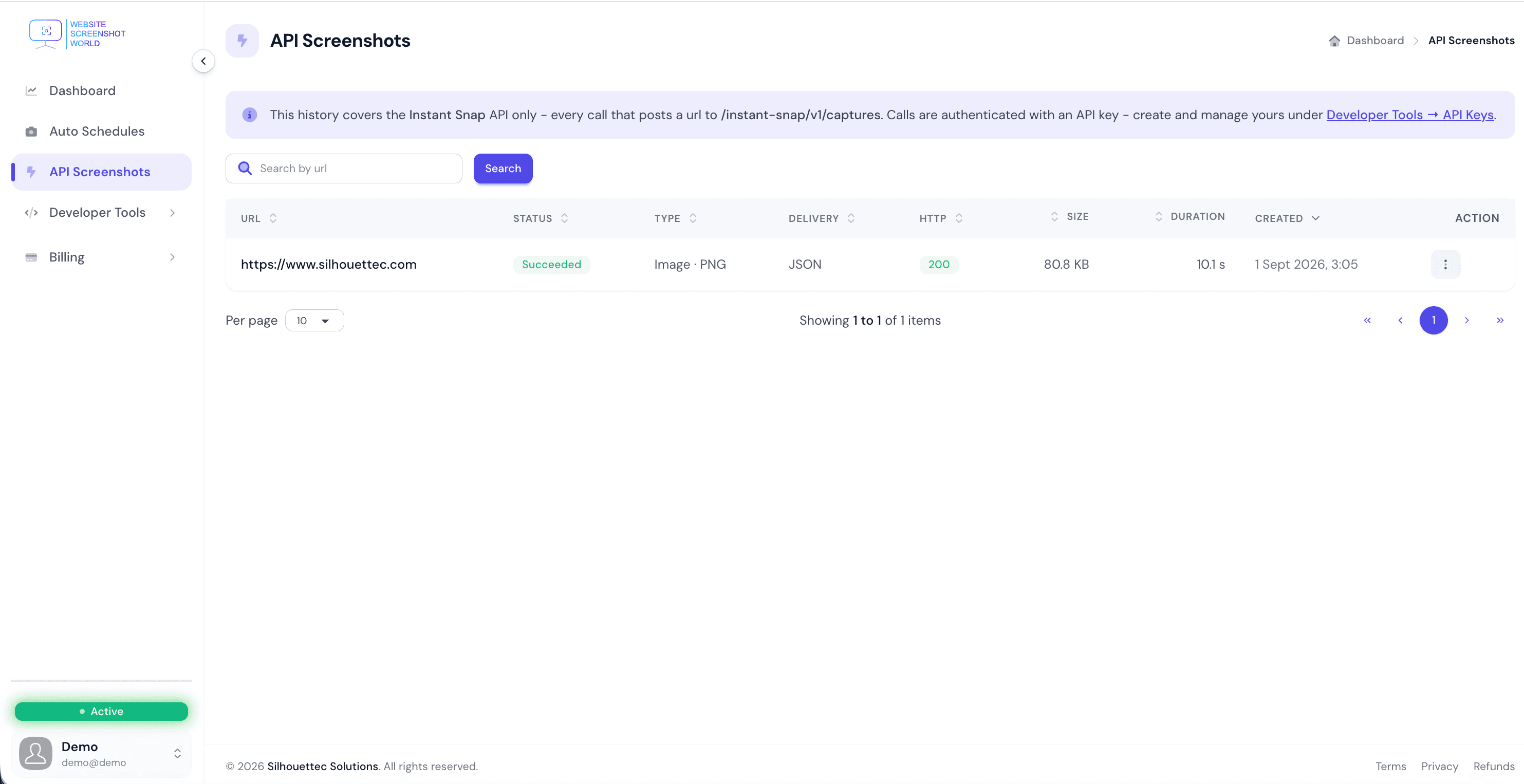
The schedules that drive it, how a page is captured, where the results land, what the API did, and what it is costing you.
Capabilities
What it captures, when it runs, and where it lands
A capture is only useful if it is the page as you meant to record it, taken when you meant to record it, and waiting somewhere you can actually use it. All three are set once on a profile and applied to every run.
Capture
- Full page or viewportCapture the whole scrollable page or just the visible viewport. Long, lazy-loading pages are tiled as they scroll and stitched back into one image.
- Real device emulationRender against a genuine device profile — the same catalogue the browser engine ships — rather than a desktop window narrowed to phone width.
- Element captureTarget one component with an XPath selector — a pricing table, a banner, a chart — instead of cropping a full page afterwards.
- Ads and pop-ups removedBlocking runs as a real browser extension, not a stylesheet that hides elements after they load, so the page renders as though the interruption was never served.
- Image, video or PDF — plus the page's HTMLEach profile captures one media type: PNG, JPG, WebP or TIFF; an image- or document-based PDF; or, on the Business and Business Plus plans, MP4, WebM, MOV or GIF video — and can save the HTML source alongside it. Resolution, scale and zoom are fixed per profile so runs stay comparable.
- Locale, timezone and countrySend the capture out through a chosen country and render it in the locale a visitor there would get, so geo-targeted pages look the way they really look.
Schedule
- Schedules in your timezoneChoose a frequency and the timezone it runs in. A daily 09:00 capture means 09:00 where your business is, through daylight-saving changes.
- Trigger windowsConstrain when a schedule may fire — business hours only, or a nightly maintenance window — so captures land when the page is in the state you care about.
- TagsTag schedules and captures by client, campaign or matter, and filter the history by them later — one tag per client is how an agency keeps twenty sites apart.
- Team accountsInvite your colleagues into the same account so schedules, profiles and history are shared rather than a login.
- Pages behind a loginSupply request headers and cookies on the profile to capture a page that only exists once someone is signed in.
- Timestamp watermarkStamp each capture with the moment it was taken, so an image pulled out of storage months later still says when it was recorded. Every file's SHA-256 is recorded as it is stored, too.
After the capture
- A history you can browseEvery capture a schedule has made stays in your account, with favourites, filters by origin and status, and bulk actions by date range.
- Delivered to your own storageCopied to as many as three of your own destinations — Google Drive, Dropbox or any S3-compatible bucket — as each capture completes, without anyone logging in here.
- WebhooksPost to your endpoint the moment a capture completes, so your own system can pick the image up and act on it.
- Change detection and emailOn every paid plan, compare each image capture with the one before and see how much changed and where. Tell a profile who should hear about a change, a finished capture or a failed one.
- Retention you choose — including noneTwo settings, nothing in between: keep every capture until you delete it, or have each one delivered to your destination and not kept here at all.
- Two APIs and an MCP serverThe Instant Snap API captures any URL on demand and hands the image straight back. The Auto Schedule API fires a page you already monitor, reusing its profile and destination. The MCP server gives an AI assistant the same capabilities.
Use cases
What teams capture, and why
The same scheduled capture solves several very different problems, depending on what you do with the history afterwards.
Who it is for
Built for agencies and compliance teams
Both need the same thing from a schedule: proof of what a page showed, and when. They differ in who asks for it.
Agencies
Every client's site, on its own schedule
- A schedule per client page, tagged by client — or, on Pro and above, one sitemap schedule that captures every page in a client's sitemap, up to your plan's limit.
- A dated capture of what each client's site showed, delivered to your own Google Drive, Dropbox or S3 bucket.
- Change detection on every paid plan compares each image capture with the one before: how much changed, where, and an email when it does if you want one.
- A report for each schedule: a CSV on every paid plan, and a PDF on Business and Business Plus.
Compliance
A record you can check without us
- Full-page captures on a fixed cadence, in a stated timezone, with the capture time stamped on the image if you want it.
- A SHA-256 of every file, recorded the moment it is stored, so any later change to the file shows as a mismatch.
- A month of a schedule's captures downloads as one zip with a SHA256SUMS.txt you can verify offline, years later.
- On Enterprise, trusted timestamps (RFC 3161): an independent Time-Stamp Authority signs each kept capture's hash, inside PDFs too.
Instant Snap API
Or call it from your own code
Everything the scheduler does is available over REST. POST a URL and take back a PNG, a JSON envelope with a download link, or an upload straight into your own S3-compatible bucket.
- Instant Snap API
- Capture any URL on demand, with the options in the request. One required field, and the service publishes its own defaults for everything else.
- Auto Schedule API
- Trigger an immediate capture of a page you already monitor — from a deploy hook or a CI job — reusing its stored profile and destination.
curl -X POST https://api.websitescreenshotworld.com/instant-snap/v1/captures \
  -H "X-Api-Key: $WSW_API_KEY" \
  -H "Content-Type: application/json" \
  -d '{"url": "https://www.silhouettec.com"}'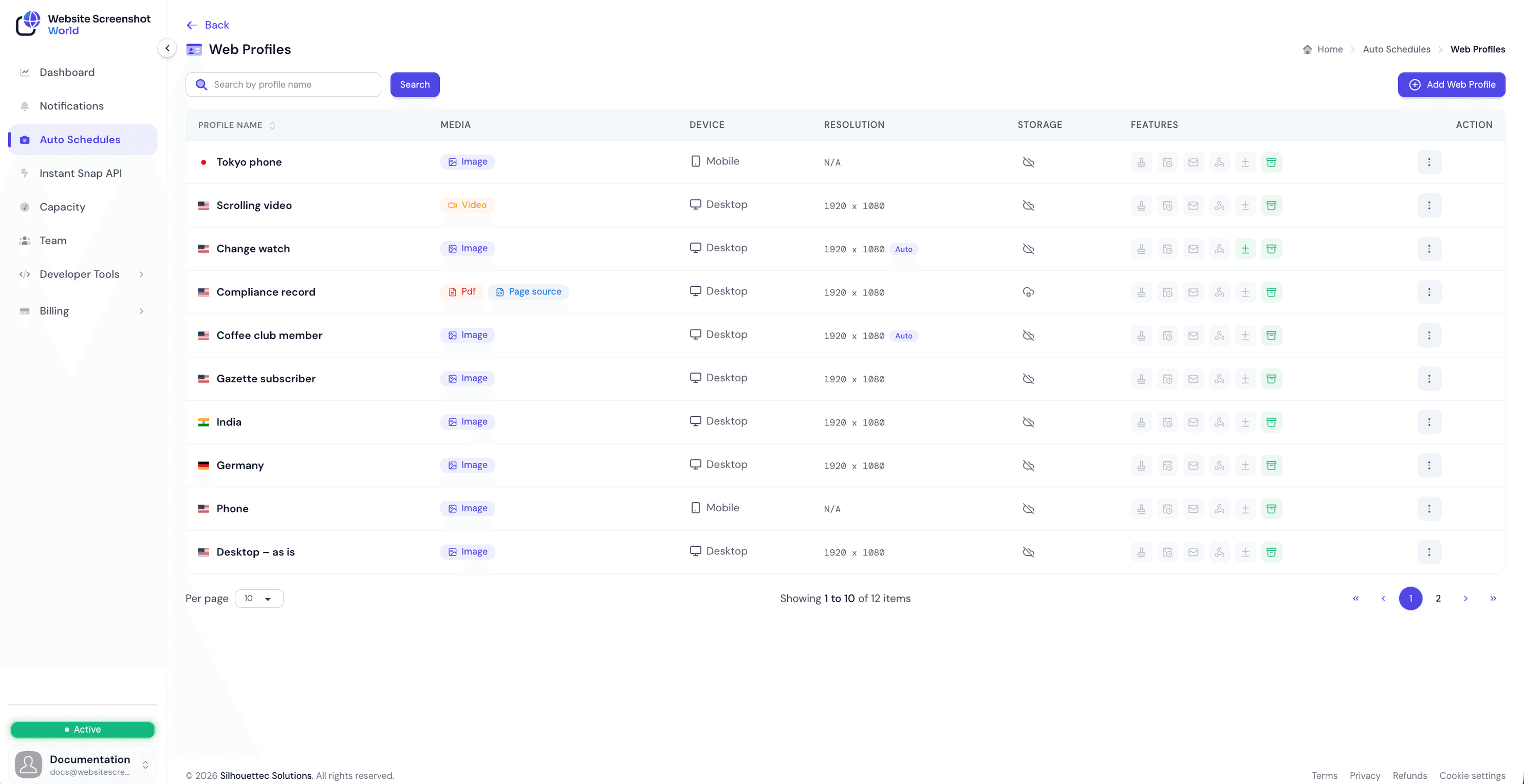
Try it first
Free capture tools, no account
Test a page before you commit to anything. The free tools use the same rendering pipeline as scheduled captures, so what you see is what an automated run would produce.
Powerful storage integrations
Automatically deliver your captures to the tools your team already uses.
S3 Compatible Storage
Save captures to any S3-compatible bucket (AWS S3, DigitalOcean Spaces, Wasabi, MinIO, and more).
Dropbox
Automatically sync your captures to Dropbox folders for easy sharing and organization.
Google Drive
Store captures in Google Drive and keep everything accessible to your team and clients.
FAQ
Questions we get asked
If yours is not here, email us and a person will answer.
Do I need an account to take a screenshot?
No. The free tools capture a single public page without an account. An account is needed to schedule captures, use the API and deliver results to your own cloud storage.
How often can captures run?
Pick a preset frequency such as hourly, daily or weekly, and the timezone it should run in. Trigger windows let you narrow that further so a schedule only fires inside the hours you choose.
Where are my screenshots stored?
Every capture is kept in your account's history until you delete it, and can also be delivered automatically to Google Drive, Dropbox or any S3-compatible bucket you connect. If you would rather we held nothing, a profile can be set to deliver each capture and not keep it here.
Can it capture pages that need a login?
Plans that allow custom request headers and cookies can carry the credentials a page needs. You must have the right to access the page you are capturing — see our acceptable use terms.
Can I capture a page as it looks in another country?
Yes. A capture can be sent out through a chosen location so geo-targeted pricing, language and content render the way a visitor in that country would see them.
Is there an API?
Yes. Create an API key and request a capture from your own code. The response can come straight back to you or be delivered to your connected storage, exactly like a scheduled run.
From the blog
Guides on capturing the web
Written from what we see teams actually run into: archiving, compliance, monitoring and delivery.

Give Your AI Assistant Eyes: Website Screenshots Through MCP
An assistant that can only read your words cannot see the page you are talking about. How the Model Context Protocol lets Claude, Cursor or VS Code capture and read live web pages on your account, what to ask for, and how to keep it safe.
Read article
How to Take a Full-Page Screenshot of Any Website (Without the Gaps)
Blank images halfway down, a header repeated every screen, a cookie banner over the hero. Why full-page screenshots go wrong, how to take one in Chrome and Firefox, and the settings that make every capture of a long page come out whole.
Read article
Why Your Team Needs a Screenshot API (Not a Screenshot Habit)
Manual captures fail in the same way every time: inconsistently, and only once they matter. When a screenshot API earns its place, what a good one looks like, and the four workflows worth automating first.
Read articleStart capturing in a few minutes
Create an account, add your first page and choose a schedule. Change plan or cancel at any time.