

Documentation
Learn how to configure capture schedules, timezones, trigger windows, and cloud storage — from first setup to production workflows.
Browse sections
Need help?
Contact SupportWeb Profiles
Web Profiles are reusable capture presets. They define the browser environment (device, resolution, scale/zoom, geo), cleaning rules, and how/where output is delivered.
Instead of setting options on every schedule, you create one (or a few) Web Profiles and reuse them. This keeps your automation consistent and makes changes safe: update the profile once, and all schedules using it inherit the improvement.
What is a Web Profile?
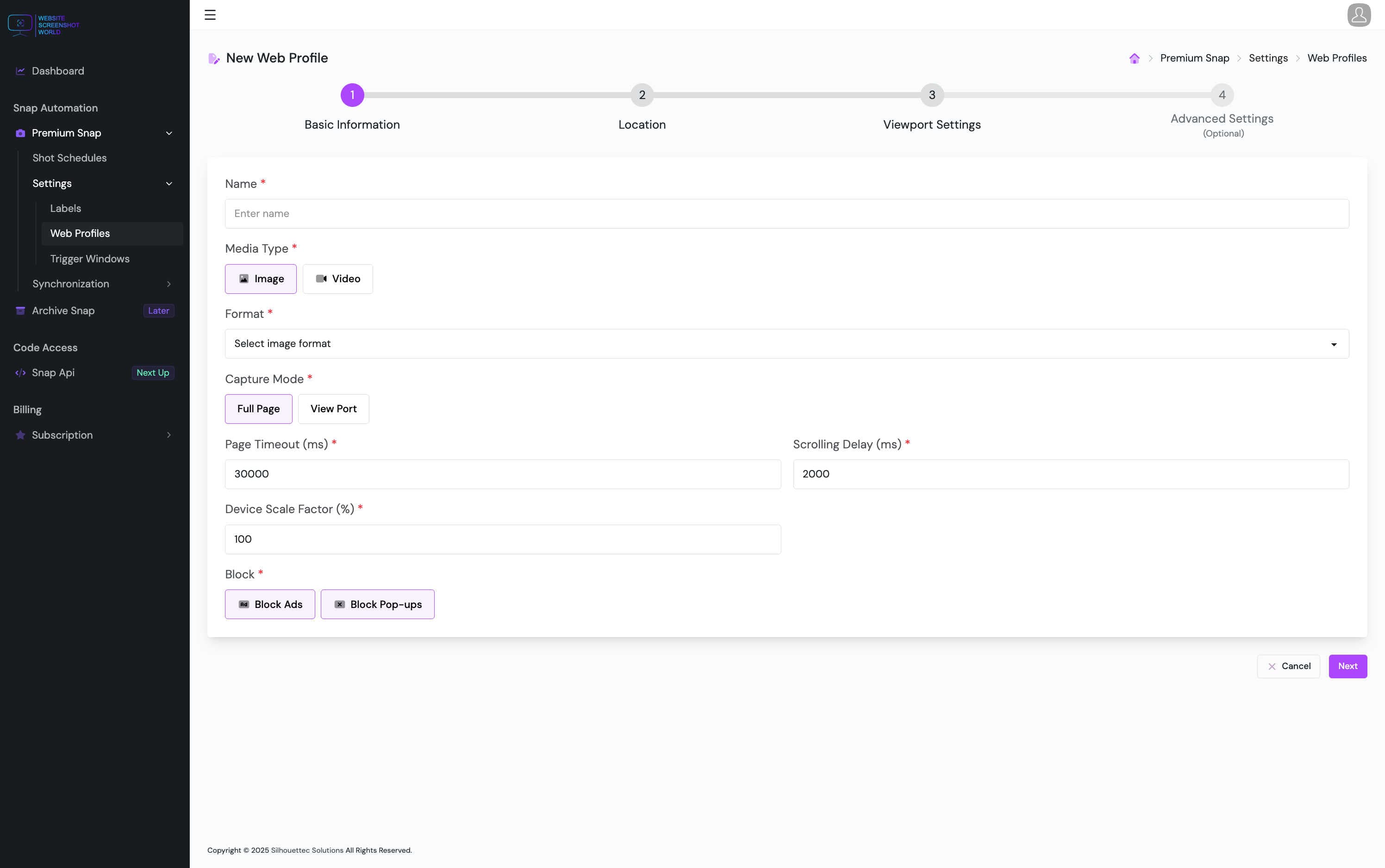
A Web Profile bundles everything needed to render a page reliably:
- Resolution / viewport + device type
- Scale or zoom (depending on capture type)
- Blocking rules (ads, popups, overlays)
- Timeouts / scrolling delays for stability
- Geo simulation (lat/long)
- Request overrides (headers, cookies, user agent)
- Delivery destination (cloud storage config)
Resolution & device types
Choose a predefined resolution or set an exact width/height for pixel-perfect output. Keep one profile per layout you care about (e.g., Desktop vs Mobile).
Predefined resolutions
Quickly choose common desktop/mobile sizes for repeatable screenshots.
Custom width & height
Force exact viewport dimensions when layouts are sensitive to breakpoints.
Desktop vs mobile
Use device type consistently so pages render the same every time.
Media / category
Align capture rendering with how real users see the page.
Device scale factor & zoom
Use scale/zoom to match high-DPI environments or tune visual density. Keep these stable across time to avoid false-positive changes.
- Device Scale Factor: useful for image captures (high DPI / crisp output).
- Zoom: useful for video captures (where supported).
- Note: Some options may not apply to emulated mobile captures (depending on your setup).
Blocking & stability
Reduce noise and flaky captures by blocking intrusive elements and giving heavy pages enough time to render.
- Block popups: prevents dialogs from covering content.
- Block ads: reduces shifting layouts and unwanted clutter.
- Page timeout: allows slow pages to finish loading.
- Scrolling delay: helps for infinite scroll or heavy animations.
Geolocation & localization
Some websites personalize content by region. Geo simulation lets you capture exactly what a user in a specific location would see.
- Enable geolocation on the profile.
- Provide latitude and longitude for precise targeting.
- Use one profile per region if you need consistent comparisons.
Headers, cookies & user agent
Advanced captures may require request customization to access authenticated or personalized content.
- Cookies: capture logged-in or session-based views (where supported).
- Headers: set locale hints or custom application headers.
- User agent: test desktop vs mobile rendering or specific devices.
Cloud storage & delivery
Profiles can point to a preferred cloud storage configuration so captures land where your team already works.
- Choose the primary storage type (Google Drive / Dropbox / S3-compatible).
- Select the configured integration profile to define destination folders/buckets.
- All schedules using this web profile follow the same delivery behavior.
When to create multiple profiles
Create additional profiles only when one set of settings can’t serve multiple workflows.
- Different devices: Desktop vs Mobile.
- Different outputs: clean marketing screenshots vs audit-grade captures.
- Different destinations: Legal vs Marketing storage structures.
- Different regions: one profile per geo to compare localized experiences.
Continue
Next, use Trigger Windows to control timing and conditions for pages with async content.